Quickstart#
The very first thing we need to do is create our Tkinter application. This step does not require the use of our library yet.
from tkinter import ttk
import tkinter as tk

class Application:
    def __init__(self):
        root = tk.Tk()
        ttk.Button(root, text="Click me", command=self.button_click_command, width=20).pack(padx=20)
        self.root = root

    def button_click_command(self):
        print("Button clicked")

    def run(self):
        self.root.mainloop()


if __name__ == "__main__":
    app = Application()
    app.run()
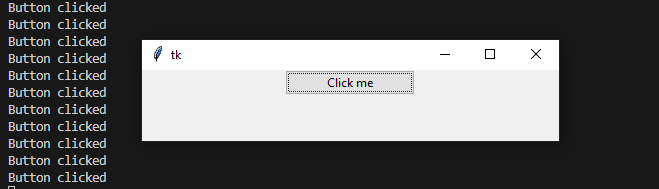
Fig. 1 The result of the above code.#
Now let’s add our async functionality.
from tkinter import ttk
import tkinter as tk

import tk_async_execute as tae
import asyncio


class Application:
    def __init__(self):
        root = tk.Tk()
        ttk.Button(root, text="Click me", command=self.button_click_command, width=20).pack(padx=20)
        self.root = root

    async def button_click_async(self):
        print("Async function: button clicked")
        await asyncio.sleep(5)
        print("After sleep")

    def button_click_command(self):
        print("Button clicked")
        tae.async_execute(self.button_click_async(), wait=True, visible=False, pop_up=False)
        print("After async execute")


    def run(self):
        self.root.mainloop()


if __name__ == "__main__":
    app = Application()
    tae.start()
    app.run()
    tae.stop()

Fig. 2 The result of the above code.#
In the above code, we have started the asyncio event loop with the tk_async_execute.start() function, added
an async method and called that async method with the tk_async_execute.async_execute() function from the
button command handler function. The async code was executed in a blocking mode, meaning that button_click_command
waited for button_click_async to finish (wait=True), we chose to not show the execution window (visible=False)
and decided to allow other interactions (eg. more button clicks) to occur while our async method was being executed (pop_up=False).
At the end of our code, there is a call to the tk_async_execute.stop() function, which get’s called after
we close our application window, the purpose of which is to stop the asyncio event loop running in the background.